

Claude Design: Workflow Roles vs Figma and Canva


What you’ll learn
- What Claude Design contributes to early concept work and what people must still review
- How to divide production stages among Claude Design, Figma, Canva, and Claude Code
- A handoff process from purpose and concept comparison to finishing and release
Claude Design Turns Words into Early Concepts That People Can Discuss
Claude Design is a product for describing what you want in conversation, creating visual concepts such as slides or web pages, and refining them. It does not guarantee a finished product. It is most useful for making a direction visible before a team invests in detailed production. A clear workflow can use Claude Design to compare concepts and hand the selected direction to another tool for detailed collaboration or distribution.
By the end of this article, you will have practical criteria for answering “Where should Claude Design sit, and when should work move to Figma, Canva, or Claude Code” in your own context.
Claude Design Fits the Stage Where a Team Needs Comparable Starting Points
Anthropic introduced Claude Design on April 17, 2026 as an Anthropic Labs research preview. The announcement says it can create visual work from material such as text, images, and documents, then refine the result through conversation, direct edits, and comments. At launch it used Claude Opus 4.7 and was available for Pro, Max, Team, and Enterprise plans; Enterprise administrators had to enable it.[1]
Suppose a team is planning a briefing for a new product. Instead of finishing 40 slides immediately, the team can provide the audience, one message to communicate, required evidence, and impressions to avoid, then create three directions. People compare them, select one, verify the numbers and wording, and only then move to collaborative editing and distribution.
The benefit is not the disappearance of design work. It is the earlier arrival of concrete options that people can discuss.
Figma, Canva, and Claude Code Take Over Different Kinds of Finishing Work
The appropriate tool changes with the current production stage. This table is the author’s workflow classification, not a product ranking.
| Tool | Main stage | Best role | Final human decision |
|---|---|---|---|
| Claude Design | Explore a direction | Create and compare multiple concepts from conversation | Whether a concept serves the purpose and uses correct facts |
| Figma | Design screens in detail with others | Refine components, spacing, and movement between screens | Usability and the authoritative design version |
| Canva | Finish material for distribution | Apply brand material for presentations, social posts, or print | Suitability for the audience and rights clearance |
| Claude Code | Turn an approved direction into a working web page | Connect the concept to actual site behavior | Safety, test results, and release approval |
Claude Design does not need to finish the work. It can end its role after concept comparison and pass the approved direction into the team’s established production environment.
State the Purpose, Material, and Constraints to Make Concepts Comparable
“Make a good slide deck” does not define good. A useful starting request includes at least:
- Audience: high-school students, customers, or internal approvers
- Purpose: whether the material should build understanding, enable comparison, prompt signup, or support a decision
- Material: verified words, figures, images, and brand rules
- Constraints: length, prohibited wording, deadline, and sharing scope
- Comparison criteria: for example, approachability, readability, or information density
Creating two or three concepts from the same conditions lets people compare how well each serves the purpose, rather than choosing only by instinct. The AI produces options; people retain the judgment.
Put Human Review Points Between Concept, Finishing, and Release
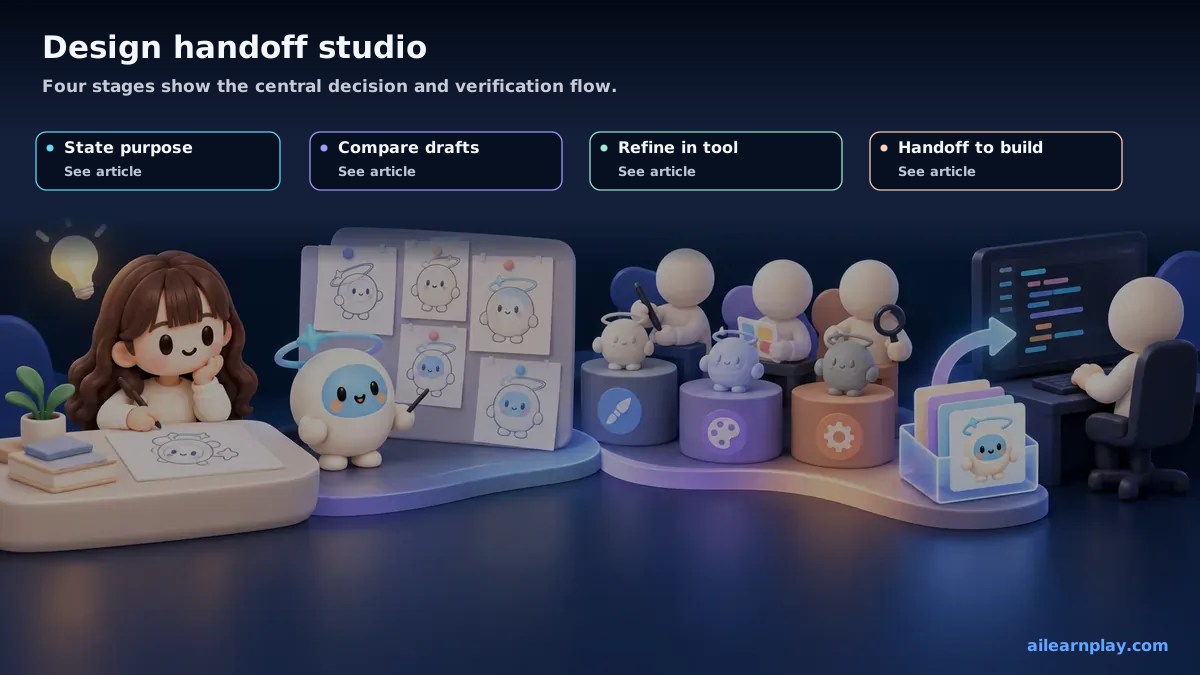
This sequence is a practical starting point for a team that includes nontechnical members:
- Write the purpose in one sentence: identify who should understand or do what
- Create directions in Claude Design: produce multiple concepts from the same conditions
- Select one concept: judge it against the purpose and comparison criteria
- Verify facts and rights: inspect figures, names, images, personal information, and permission to use material
- Hand off to a finishing tool: use Figma for collaborative screen design, Canva for distributed material, or Claude Code for a working web page
- Use an independent pre-release review: check content, readability, usability, and sharing scope
The team should also name the location of the approved final version. Similar copies across several tools make it unclear which version should be corrected.
Decide Usage Conditions, Information Handling, and Evaluation Before Adoption
Claude Design remains a research preview, so availability and behavior may change. A team should confirm current plan access, administrator settings, usage, permitted input material, and sharing scope in official information.[1]
Do not count “a concept was generated” as the outcome. Select one measure the team actually wants to improve, such as production time, revision rounds, time to agree on a direction, or errors found after release. Without a comparison condition, convenience and results cannot be separated.
Summary: Test Claude Design on a Small Concept and Keep Final Responsibility in the Existing Workflow
Start with a low-impact item, such as a five-slide internal briefing that will not be published, and create two concepts from the same conditions. People should verify purpose, facts, brand fit, and safety, then move only the selected concept to the finishing tool. If the work mainly needs strict collaborative design, print and distribution control, or implementation of a working product, keep Figma, Canva, Claude Code, or another established system as the final authority.
References
- Anthropic, Introducing Claude Design, April 17, 2026
For the latest releases and updates, check the official website and official documentation.