

Claude Dynamic Workflows: Architecture and Parallel Task Design



What you’ll learn
- How Dynamic Workflows differ from a normal Claude Code conversation
- How to distinguish work that can run at the same time from work that should remain sequential
- How to define each worker’s input, output, acceptance criteria, cost, and resumption process
Dynamic Workflows Divide a Large Job Among AI Workers Running at the Same Time
Dynamic Workflows (workflows for running multiple AI assignments in parallel) let Claude Code divide a large job into smaller assignments. Here, a workflow is a written plan for the order of work, and a subagent (a separate AI work unit assigned one specialized role) handles work such as research or review. The main adoption question is not raw speed. It is whether the assignments are independent and people can verify each result.
By the end of this article, you will have practical criteria for answering “Which work fits Dynamic Workflows, and how can it be divided into results that people can verify” in your own context.
A Work Plan Coordinates Several AI Workers Outside the Normal Conversation Flow
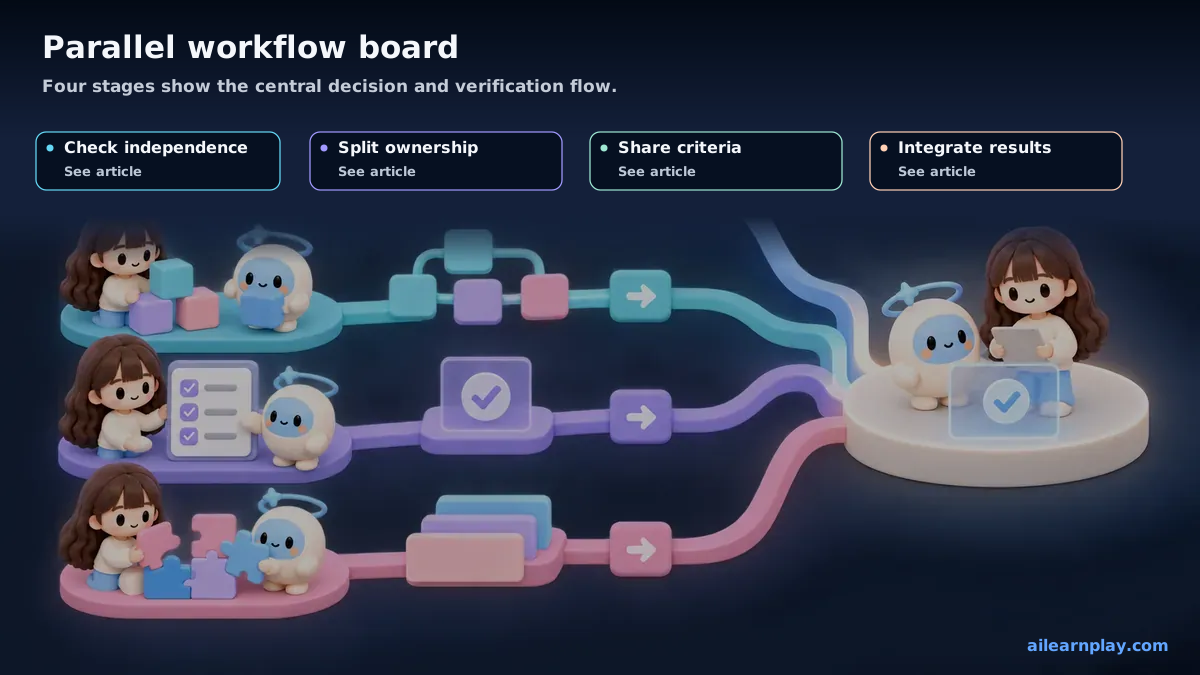
Anthropic announced Dynamic Workflows in May 2026. A user describes the goal, Claude Code creates a work plan, and that plan assigns work to multiple subagents and gathers their intermediate results.[1][2]
Suppose a company needs to find outdated product names in 300 internal documents. One worker could read everything from beginning to end. Another approach divides the documents into ten nonoverlapping groups of 30 and gives every worker the same review criteria. The second approach can run at the same time, but speed has little value if each worker applies a different rule.
| Approach | Suitable scale | How work proceeds | What people verify |
|---|---|---|---|
| Normal conversation | Small changes and work where order matters | Review one result before starting the next step | Intermediate decisions and the final result |
| Dynamic Workflows | Large investigations, independent transformations, and reviews from several perspectives | A plan distributes assignments and gathers results | Task boundaries, shared criteria, and the combined result |
If one result becomes the next assignment’s input, do not force both to run at the same time. Waiting for the first result can prevent repeated work.
Parallel Work Fits Assignments That Do Not Wait for the Same Intermediate Result
Work becomes easier to divide when these conditions are true:
- Independent: one worker can begin without waiting for another worker’s result
- Separable input: documents, regions, features, or review perspectives can be assigned without overlap
- Defined output: every worker returns the same kind of list, revision, decision, or evidence
- Shared acceptance criteria: every worker receives the same rule for what to find and what counts as a problem
- Combination plan: one person or process owns duplicate removal and disagreements at the end
Poor fits include several workers editing the same document, work whose direction changes frequently, and requests without a describable passing result. More workers add coordination and review.
Give Every Worker an Input, Output, Acceptance Criteria, and Stop Condition
“Investigate everything” allows each worker to choose a different method. Give every assignment four fields:
- Input: the material or range it owns
- Output: what it returns and in which form
- Acceptance criteria: the rule for a correct result
- Stop condition: what it must not do when information is missing, evidence conflicts, or an action is risky
For a document audit, the instruction might be: “For every assigned document, return the outdated name, current name, supporting location, and anything you cannot decide. Do not edit the document.” People can then compare the same columns across results.
The worker that combines the results should do more than add totals. It should remove duplicates, separate disagreements, and preserve unresolved items.
Confirm Cost, Limits, and Resumption Before Increasing Concurrency
Every AI worker reads information, reasons about it, and writes a result, so running more workers also increases usage. Ten workers do not reduce cost to one tenth. Compare shorter waiting time with higher usage and review effort.
In official documentation checked on September 13, 2026, Dynamic Workflows are described for paid Claude plans, the Claude API, and major cloud-service providers.[2]
For Claude Code, the documented limits include 16 concurrent agents, 4,096 items in one parallel or sequential call, and 1,000 agents across one workflow.[2]
A resumed workflow may reuse completed results, but choosing the wrong resume point can repeat work.[2] Record the plan, completed and remaining ranges, usage limit, and stop conditions, then require a person to inspect them before resuming.
Test the First Workflow on a Small Independent Investigation
Choose a small job where every answer below is yes:
- Can each worker receive nonoverlapping input?
- Can every worker receive the same acceptance criteria?
- Can every result use one output format?
- Is the owner and method for combining results clear?
- Is there a usage or time limit?
- Can a person identify completed work before resuming after an interruption?
Do not start with the maximum number of workers. Compare two or three workers with a normal conversation, recording elapsed time, omissions, disagreements, review time, and usage.
Summary: Use Dynamic Workflows Only When Independence and Verification Are Both Present
Start with one job such as checking many documents against the same rule, where the input can be divided without overlap, and test two or three workers. Give each worker an input, output, acceptance criteria, and stop condition, then have a person verify the combined result. Keep sequential reasoning, simultaneous editing of the same target, and work without describable acceptance criteria in a normal Claude Code conversation.
References
- Anthropic, Introducing dynamic workflows in Claude Code, May 28, 2026
- Anthropic, Orchestrate multi-agent workflows with dynamic workflows, Claude Code Docs
For the latest releases and updates, check the official website and official documentation.