

How to Reduce Claude Code Token Use Without Losing Quality



What you’ll learn
- How to review Claude Code tokens across input, output, and persistent context
- Seven ways to adjust context, CLAUDE.md, file scope, subagents, tools, and output format
- How to order optimizations by adoption effort and risk without removing quality or safety constraints
Reduce Claude Code Tokens Without Removing Required Context
A token (a unit used to count the input and output text an AI reads and writes) affects Claude Code usage. Reducing conversation history and reference material is not always helpful. Keep the objective, acceptance criteria, and safety constraints, and remove only information unrelated to the current task.
By the end of this article, you will have practical criteria for answering “What can be shortened, and what must stay, to reduce usage without weakening the work” in your own context.
Separate Input, Output, and Persistent Context
Claude Code usage depends on factors such as the selected model, input, output, caching, and the way you access the product. Pricing and limits can vary by plan and product behavior, so check the current official information for your environment.[1]
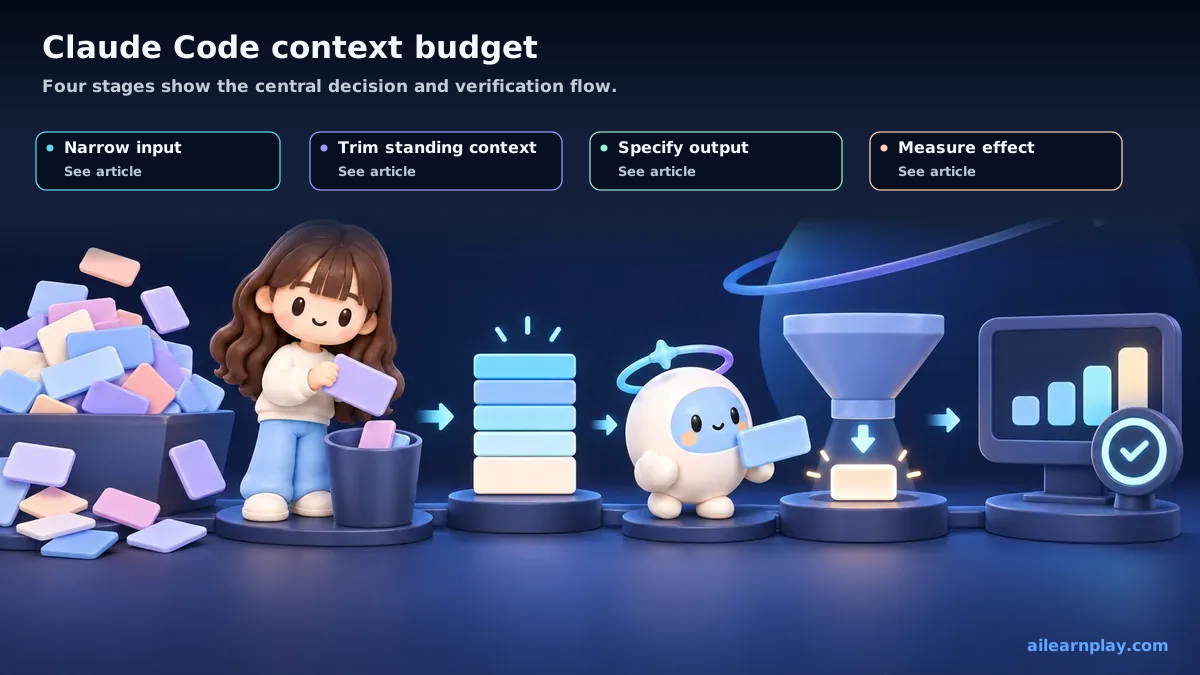
For optimization, separate three categories:
- Input: The request, conversation history, and files read for the task
- Output: Explanations, code, and research results returned by Claude
- Persistent context: Information available as a working assumption, including CLAUDE.md and tools
Remove history unrelated to the current objective, repeated explanation, and unnecessary output. Preserve acceptance criteria, prohibitions, verification methods, and target files. The priorities below are based on adoption effort and scope, not a measured token-reduction rate.
Split Context When the Objective Changes
If a bug fix, feature design, and code review remain in one conversation, context from earlier work can remain relevant to later requests. Start a new session when the objective changes. For related work, use Claude Code’s /compact to summarize history; use /clear when unrelated history should be removed.[1]
/compactBefore changing sessions, record unfinished changes, decision rationale, and pending tests in a repository note or handoff. Reducing conversation history should not remove information required for recovery.
Keep CLAUDE.md Focused on Persistent Instructions
CLAUDE.md (a document that gives Claude Code the project’s shared rules) should contain only instructions needed across tasks. Placing every procedure in one document makes Claude refer to details even when they do not apply. Anthropic’s cost-management guide recommends keeping CLAUDE.md concise and loading specialized procedures only when needed.[1]
- Keep constraints that apply to every task.
- Move specialized procedures into dedicated documents or Skills.
- Periodically review duplicate, obsolete, or unverifiable instructions.
Do not optimize for line count alone. Compare instruction compliance, correction rounds, and input usage before and after the change.
Narrow the Initial File Scope
A request such as “review this project’s authentication” requires broad exploration to find possible entry points. When you know the likely entry point, provide the file, function, symptom, and expected behavior.
# Requires broad exploration
"Fix the authentication bug."

# Defines the starting scope and acceptance criteria
"Review getToken in src/auth/login.ts.
Symptom: an expired token passes validation.
Expected: return 401 for an expired token and update the related test."
Further investigation may still be necessary if the cause is elsewhere. Scope is a starting point and completion boundary, not a prohibition against reading another relevant file.
Isolate Independent Research in Subagents (Separate AI Work Units)
Claude Code subagents work in separate contexts and return results to the main conversation.[2] They fit tasks with clear inputs and outputs, such as research, test-log summaries, and independent review perspectives.
- Assign one question and target scope.
- Specify the evidence, changed files, and unresolved items to return.
- Do not assign the same file to concurrent work without an ownership boundary.
Subagents also consume usage. A smaller main context does not necessarily mean fewer total tokens, so use task independence—not parallelism alone—as the decision criterion.
Prefer Specificity Over Brevity
Instead of repeating all background, state the objective, target, symptom, expected behavior, and constraints concisely.
# Long background with an unclear acceptance condition
"Regarding the authentication issue discussed earlier, the team thinks
the refresh-token logic is probably responsible, so please fix it."

# Clear target and acceptance condition
"Fix refresh handling in src/auth/token.ts.
Symptom: expired tokens pass validation.
Expected: return 401. Preserve the public API and existing UI."
An extremely short request that omits known constraints can create more questions or incorrect changes. Keep information that prevents those extra rounds.
Define the Required Output Format
If the task only requires code, a diff, or a short decision report, specify the format in the request.
"Report three items: changed files, verification results, and unresolved issues."

"Classify review findings as Critical, Recommended, or Pass."

"Provide no more than five proposals and include one reason for each."
Some work requires explanation to expose reasoning and risk. For security, legal, data deletion, and publication tasks, prioritize evidence, impact, and recovery information over brevity.
Audit Connections to External Services
Connections that let Claude Code operate external services also add information for the AI to read. An MCP server (a connection point between an AI and an external service) is one example. Anthropic’s guide describes loading connection details only when needed and using /mcp to review available connections.[1]
/mcpBefore disabling an unused connection, check:
- Whether the current workflow or automation depends on it
- Whether usage or tool selection changes before and after disabling it
- Whether the reconnection procedure is documented
Do not infer savings from connection count alone; compare actual context usage and task results. Permissions are a security boundary, so do not loosen confirmation requirements solely to save tokens.
Order Changes by Adoption Effort and Risk
Changing all seven areas at once makes it difficult to identify what worked. This order reflects ease of testing and the risk of side effects, not measured savings.
| Priority | Method | What to verify |
|---|---|---|
| High | Split context by objective | Unrelated history is removed without losing handoff information |
| High | Specify scope and acceptance criteria | Follow-up questions and exploration are reduced |
| Medium | Define the output format | Output is shorter without losing required evidence |
| Medium | Review CLAUDE.md | Persistent constraints still apply |
| Medium | Isolate independent work in subagents | Both main-context size and total usage are evaluated |
| Low | Audit connected tools | The difference can be measured without breaking the workflow |
Change one area at a time. For comparable tasks, examine input, output, correction rounds, and acceptance-criteria completion.
Summary: Keep Required Information and Measure One Change at a Time
Claude Code token optimization is the practice of separating required information from unnecessary information, not simply making every message shorter. Start by splitting sessions when the objective changes, specifying target files and expected behavior, and defining the output format you need.
When changing CLAUDE.md, subagent usage, or connected tools, test one variable at a time and review both usage and work quality. Acceptance criteria, safety constraints, and verification results are not token-saving targets.
References
- Anthropic, Manage costs effectively, Claude Code Docs
- Anthropic, Create custom subagents, Claude Code Docs
For the latest releases and updates, check the official website and official documentation.