

How to Validate Internal Links Against Public URLs

What you’ll learn
- The difference between a repository file path and the public URL a visitor opens
- How to validate internal links with routing and trailing-slash behavior included
- How expected public URLs detect failures that file-existence checks cannot find
Validate Internal Links Against Public URLs, Not File Paths
A destination file can exist in the repository while visitors still cannot open it because the generated public URL follows different rules. On this site, internal links passed file-existence checks but failed on published pages. Validation therefore uses expected public URLs, including routing and trailing-slash behavior, instead of source paths alone.
By the end of this article, you will have practical criteria for answering “How can I detect an internal link that breaks publicly even though its source file exists?” in your own context.
A file exists but the link is broken
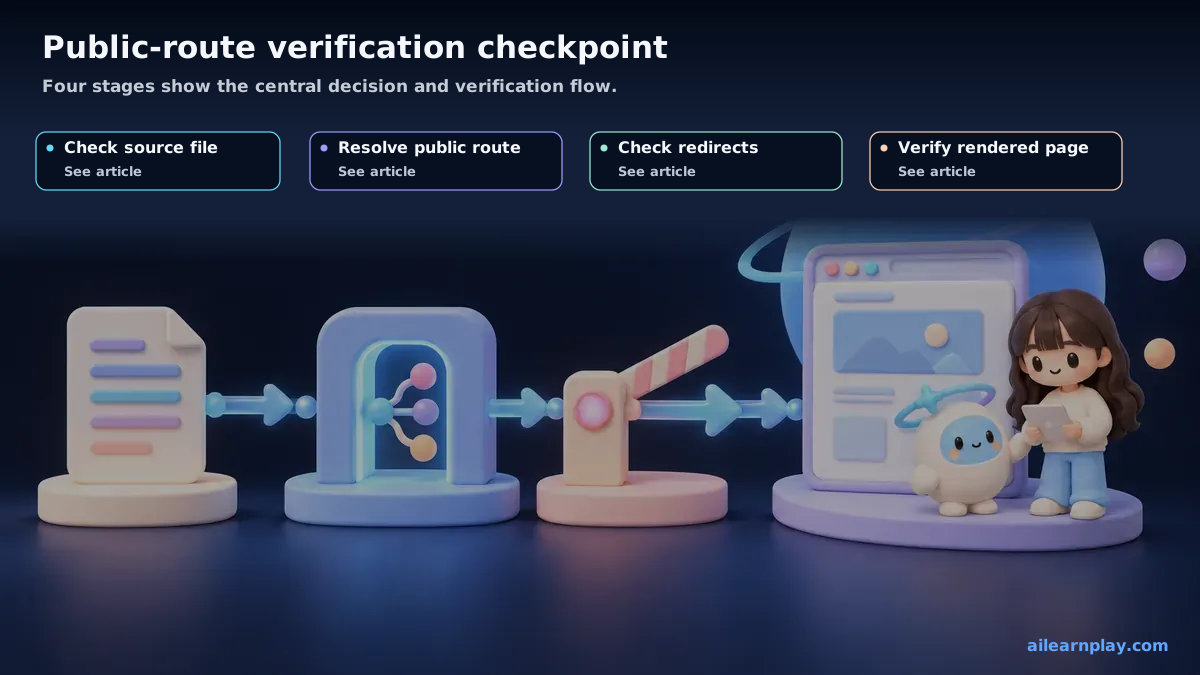
While verifying internal links on this site (links pointing to other pages within the same site), a confusing situation came up: “the link target file exists in the repository, but clicking the link does not take you to the right page.”
Investigating the cause revealed that the file’s path in the repository and the URL where that file is actually published do not match.
The difference between a file path and a published URL
This site is built with Astro (Starlight) and hosted on Vercel. Placing a file in a particular location does not mean its published URL will follow that same path.
Here is a concrete example.
The file path within the repository:
src/content/docs/ja/ai/poc-to-production.mdThe URL where that file is published:
/ja/ai/poc-to-production/The file path includes the src/content/docs/ prefix, but the published URL does not. The URL also ends with a trailing slash (/).
If an article contains a link written as /src/content/docs/ja/ai/poc-to-production.md, that path does not exist as a public URL. The correct link is /ja/ai/poc-to-production/.
Vercel’s trailing slash handling
What made this more complicated was Vercel’s trailing slash behavior.
The configuration was set to redirect /ja/ai/poc-to-production (no trailing slash) to /ja/ai/poc-to-production/ (with trailing slash). When a link was written without a trailing slash, the redirect fired, and in some cases the destination was not what was intended.
This behavior cannot be detected by file existence checks alone. The file exists, no error is thrown, but the actual URL behavior differs from what is expected.
The solution: registering expected published URLs
To address this, I created a file called critical-links.json.
This file holds a list of “expected published URLs” for important internal links.
[
  "/ja/ai/poc-to-production/",
  "/ja/engineering/harness-engineering/",
  "/blog/what-is-harness-engineering/"
]
A script then checks whether each URL in this list is actually accessible. By verifying against published URLs rather than file existence, the script can detect mismatches between file paths and published URLs.
Why file existence checking was not enough
To summarize, file existence checking alone was insufficient for two reasons.
1. File paths and published URLs are different
When using a static site generator, where you place a file is not the same as the URL it ends up at. The framework has its own transformation rules, and the published URL is the product of those rules.
2. Server configuration affects URL behavior
Settings on the hosting provider — in this case Vercel’s trailing slash redirect — influence how URLs behave. This happens independently of whether a file exists.
Summary: Use Expected Public URLs to Detect Broken Internal Links
Verifying internal links by file existence alone is not sufficient in some environments. When using a static site generator like Astro (Starlight) combined with Vercel hosting, cases arise where file paths and published URLs do not match. Managing expected published URLs in a dedicated file and running a script to verify they are actually accessible makes this type of problem detectable.
Start with one broken link and record the public URL the browser should open rather than only the Markdown destination. A site with different routing or hosting rules cannot apply this article’s trailing-slash conditions unchanged.