

How to Hand Off a Dirty Worktree Between AI Tools

What you’ll learn
- How uncommitted changes are visible differently in Local, Worktree, and Cloud environments
- How work completeness guides the choice among commits, patches, and handoff documents
- A checklist for transferring the diff boundary safely and responding to overwrites or conflicts
Change the Handoff Method with the Codex Environment
The right way to hand off uncommitted changes depends on whether Codex runs in the same local directory, another worktree, or Cloud. A shared directory exposes the diff but can obscure ownership, while another environment does not receive the local diff automatically. Identify the execution environment and work completeness first, then choose a commit, patch, or handoff document.
By the end of this article, you will have practical criteria for answering “How should a diff be saved and shared across Local, another worktree, and Cloud?” in your own context.
Local, Worktree, and Cloud Share Codex Diffs Differently
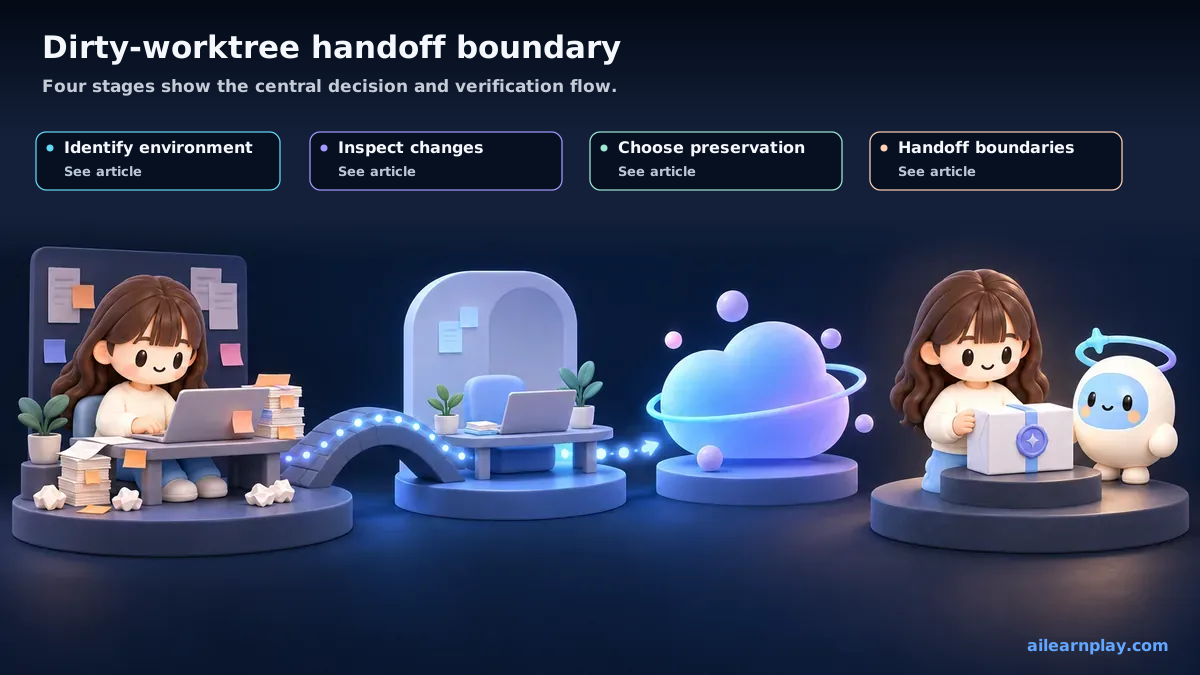
In the Codex desktop environment, a chat can run in Local, Worktree, or Cloud. Local works directly in the current project directory, Worktree isolates changes in a Git worktree (a separate working directory from the same repository), and Cloud runs remotely in a configured environment.[1]
| Environment | Visibility of uncommitted changes | Handoff requirement |
|---|---|---|
| Local | Can read changes in the same project directory | Define the existing diff and the new task boundary |
| Worktree | Works in a worktree separate from the original directory | Separate changes to transfer from changes to leave behind |
| Cloud | Runs in a remote environment separate from local files | Do not assume local uncommitted edits are transferred automatically |
The important point is to avoid either blanket assumption: that Codex always sees only GitHub commits, or that every environment on the same account shares every local edit.
A Shared Local Directory Can See the Diff
When Codex runs in Local against the same directory, uncommitted edits made by Claude Code or another tool still exist as files. The risk is not invisibility. It is ambiguity about which edits must be preserved and which files the next tool may change.
Before the handoff, inspect three views of the worktree.
git status --short
git diff
git diff --staged
git status --short: list modified and untracked filesgit diff: inspect changes that are not stagedgit diff --staged: inspect changes staged for a possible commit
If multiple AI tools edit the same file concurrently, line-level overwrites are possible. Split ownership by file, or stop one task before handing the file to the next tool.
Local Changes Do Not Automatically Move to Worktree or Cloud
Worktree is an isolation mechanism. The official Codex documentation describes it as a way to separate multiple tasks while keeping the main checkout clean.[2] Cloud is also a different execution environment from the local directory.[1]
Do not assume that an uncommitted diff that exists only in the original local directory appears automatically in another worktree or in Cloud. Put any required change into a form that the selected destination can inspect, such as a commit, patch, or explicitly transferred file.
Choose a Storage Method by Work Completeness
| State | Storage method | Constraint |
|---|---|---|
| Ready for review as a coherent unit | Commit on a working branch | Stage only the related files |
| Needs temporary storage in the same local repository | Use git stash push -u | A stash is not automatically shared with Cloud or another clone |
| Not ready to commit but needed in another environment | Transfer a patch or the selected files explicitly | Reinspect the diff at the destination |
| Multiple tools share one local directory | Keep the diff and divide file ownership | Avoid concurrent edits to the same file |
When committing, inspect and stage the intended files instead of adding the whole repository without review.
git add <files-to-handoff>
git diff --staged
git commit -m "Describe the work being handed off"
Record the Diff Boundary in the Handoff Document
An agent-handoff (a document or note that transfers work context between AI tools) should contain more than a conversation summary. Record:
- the execution environment: Local, Worktree, or Cloud
- the baseline branch and commit
- files with uncommitted changes
- completed and incomplete work
- files the next tool is allowed to edit
- checks already run and checks still required
This repository can create a local handoff snapshot with npm run agent:handoff. In another project, the same fields can live in an issue, pull request description, or handoff template.
Handoff Definition-of-Done Checklist
- Identified the Codex environment as Local, Worktree, or Cloud
- Reviewed
git status --shortand the actual diff - Separated changes to transfer from changes to retain locally
- Named the files the next AI tool may edit
- Stored cross-environment changes in a form the destination can inspect
- Recorded unrun tests and reviews in the handoff document
Recover from an Overwrite or Conflict Carefully
Stop new edits first, then preserve the current state with git status and git diff. git reflog may help trace commits and movement of refs such as branches, but ordinary uncommitted edits are not necessarily recoverable from reflog alone. Also inspect stashes, editor Local History, and backups.
git status --short
git diff
git reflog
Before attempting recovery, save the remaining diff under another name or as a patch so the recovery process does not overwrite more work.
Summary: Identify the Environment and Record Diff Ownership Before Handoff
Start a dirty-worktree handoff by identifying the execution environment. A shared Local directory can see uncommitted changes, but file ownership still needs to be explicit. Another worktree or Cloud should not be assumed to receive a local diff automatically. Recording the environment, baseline commit, changed files, ownership boundary, and pending checks turns the handoff into a reusable process.
References
- OpenAI, Codex environments, ChatGPT Learn
- OpenAI, Worktrees, ChatGPT Learn
For the latest releases and updates, check the official website and official documentation.