

How to Prevent Unrequested UI Changes in AI Development



What you’ll learn
- Why UI or navigation changes can appear outside the requested AI task and what they affect
- How to define protected areas and exceptions in a No UI Regression Rule
- How pre-implementation instructions and post-change diff review work together to prevent regressions
Use Explicit Regression Rules to Prevent Unrequested UI Changes
When a non-UI request also changes navigation, the review scope and regression risk expand beyond the task. On this site, I experienced display changes added as related improvements that did not match the requested intent. The safeguard combines explicit protected areas and approval conditions with actual diff and browser checks.
By the end of this article, you will have practical criteria for answering “Which rules and checks prevent unrequested UI or navigation changes?” in your own context.
Make Protected UI Scope and Approval Boundaries Explicit
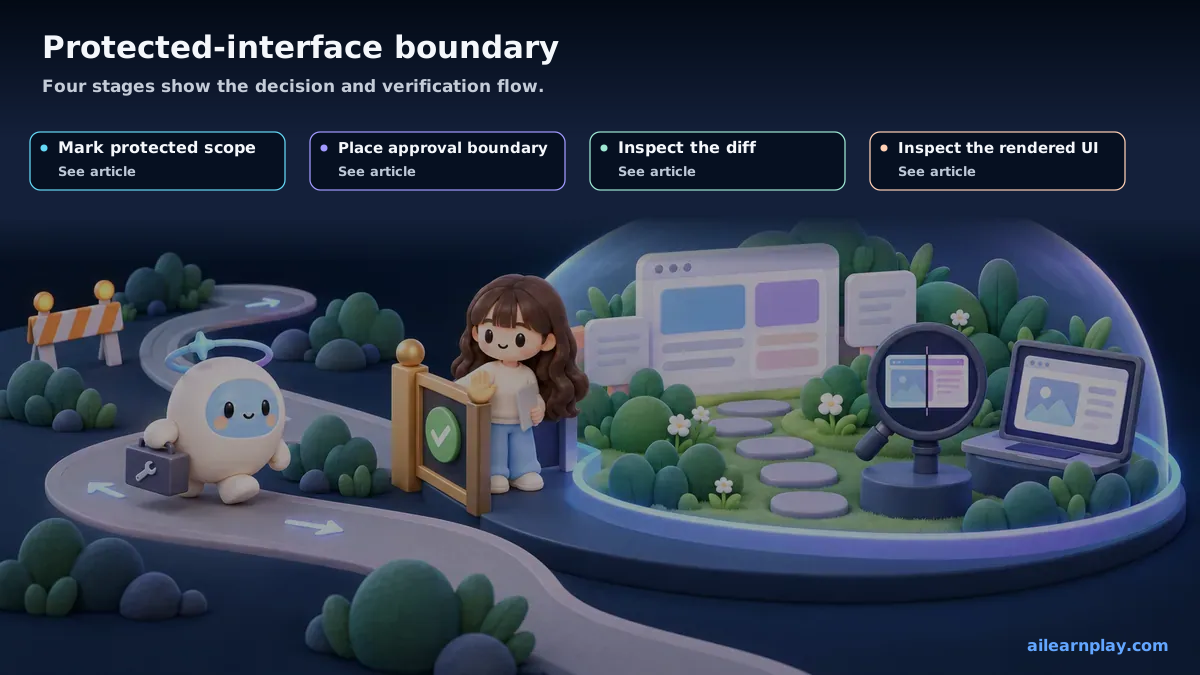
At one point, I asked AI to add a blog article to this site. The task involved creating the article file and setting the frontmatter (the metadata at the top of a Markdown article, such as title, description, and date). I gave no instruction about navigation.
After the work was complete, I checked the site and found that the header navigation structure had changed. While adding the blog article, AI had decided that adding a link to the blog in the navigation would improve the site and made the change on its own.
There was no malicious intent. AI makes changes it judges to be improvements. But the result was that the navigation on a live site had changed without my knowledge.
Unrelated UI Changes Expand Review Scope and Regression Risk
When AI makes independent decisions to modify UI, several specific problems follow.
Changes become difficult to track
When changes are made outside the scope of what was requested, I have to verify everything that was touched. Wider unintended changes give me more areas to verify.
Unintended effects can occur
Navigation structure changes can affect link behavior, page routing, and style application across multiple components. A change attached to a simple article-addition task can introduce the need for broader testing.
Design decisions that do not match the project’s intent can appear
AI uses general usability as its judgment standard. That does not mean the changes align with the specific design intent or priorities of the project.
Prohibit UI and Navigation Changes Without Explicit Instruction
In this article, “No UI Regression Rule” is this project’s own rule name. It is not visual regression testing itself. It means an operating rule for avoiding UI changes that were not explicitly requested.
Based on this experience, I added the following rule to CLAUDE.md.
## UI / Navigation Rule

Do not modify existing UI, navigation, routing, or generated homepage output.
Only make UI changes when explicitly instructed to do so.
I call this the No UI Regression Rule. “Regression” in software development refers to an unintended reversion to an earlier state. Here I use the term broadly to mean preventing any unintended UI modification—whether a rollback or an addition.
After the Rule, AI Requests Approval Before UI Changes
After adding this rule to CLAUDE.md, AI became more likely to ask for confirmation before touching navigation or design. The form changed to: “It may be helpful to add a link to the navigation. Should I make that change?”
Rather than making a unintended change, AI now presents the change as a suggestion. I can decide whether to approve it. The scope of what was requested stays clear, and the verification work after a session is reduced.
Define the Boundary Between Allowed Changes and Approval-Required Changes
The reason this rule works is that it establishes a distinction for AI between “what I can change” and “what requires explicit instruction.”
The rule is not a blanket prohibition. It is a boundary: change what you are instructed to change, and do not change what you have not been instructed to change. This boundary controls the scope of AI’s work.
AI tends to add what it judges as improvements. Defining the scope of that judgment through rules is what keeps project intent and design decisions in my hands.
Summary: Define Protected Areas and Check UI Regressions in the Diff and Browser
After experiencing AI modifying navigation while working on an unrelated task, I added a rule to CLAUDE.md specifying that UI must not change unless explicitly instructed. This clarified the scope of AI’s work and reduced the verification required after each session. A Markdown rule does not mechanically prevent every unwanted change, so important screens still need review, diff inspection, and tests where appropriate.
Start by identifying one UI area that must not change, then write the approval condition and verification method for an exception. Markdown instructions cannot mechanically prevent every change, so important screens still require diff inspection, browser review, and relevant tests.