

How to Detect AI Agent Harness Drift Automatically

What you’ll learn
- Why shared rules and tool-specific adapters drift over time
- How to pair source-of-truth changes with adapter updates in the same workflow
- How
harness:checkdetects missed synchronization and where human review remains necessary
Detect Harness Drift with Adapter Sync Checks
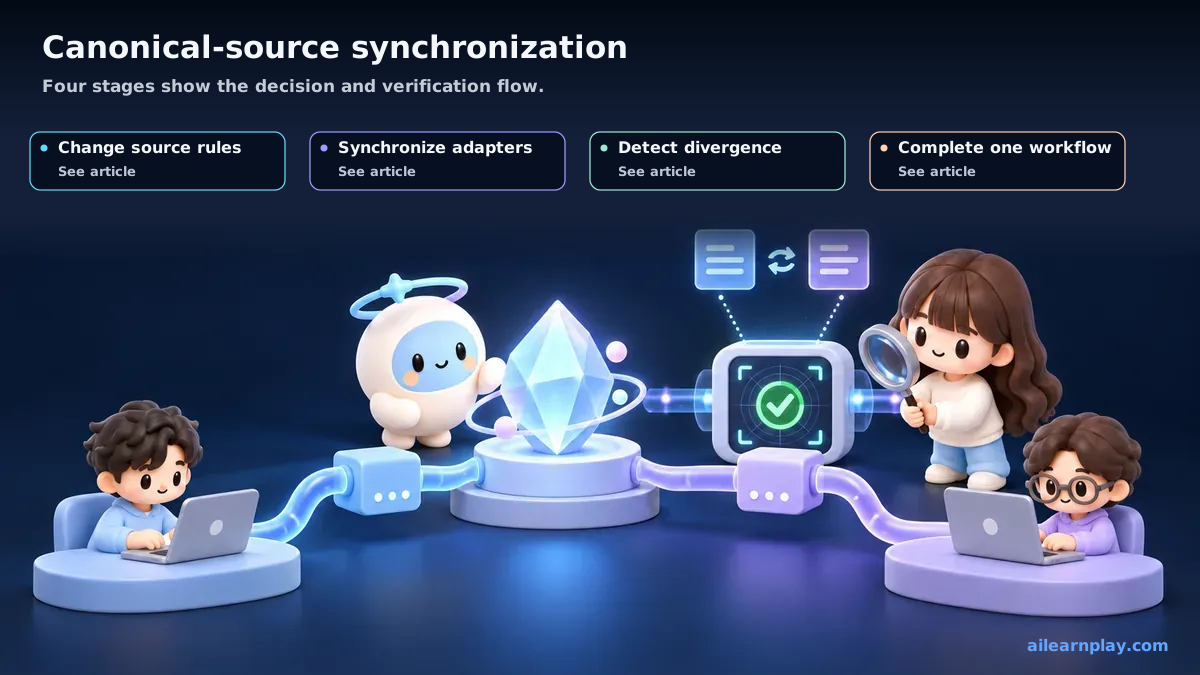
Keeping one policy across multiple AI execution environments requires treating a source-of-truth change, adapter update, and synchronization check as one unit of work. On this site, using shared/ as the source of truth still left missed updates until harness:check added mechanical validation. Harness drift is the gradual divergence between shared policy and the configuration an environment actually loads.
By the end of this article, you will have practical criteria for answering “How can missed updates between source-of-truth rules and tool-specific adapters be detected?” in your own context.
Connect Canonical Rules, Adapters, and Sync Checks
As I built this site, a situation kept recurring: “what is written in the configuration files no longer matches what the code actually does.”
In this article, I use “harness (the set of rules, procedures, and validation that guides AI work in a project) drift” as a convenient project term for the state where instruction files, code, and actual operation diverge. It is not a single standardized industry term. It is close to the broader configuration-management idea of configuration drift, applied to an AI harness.
Harness Drift Separates Canonical Rules from Runtime Adapters
Here are examples of drift that actually occurred on this site.
A rule that no longer matched the code
CLAUDE.md stated “do not modify the src/components/ directory directly.” During a refactoring of one component, I forgot to update that rule, and for a period of time the rule’s text and the actual code were out of alignment.
A skill file that was behind the implementation
The blog writing skill file specified “add field XXX to the frontmatter (the metadata at the top of a Markdown article, such as title, description, and date).” When the site’s code changed and that field became unnecessary, the skill file retained the outdated instruction, so AI continued adding the field.
A path reference left behind after a move
When a file was moved to a different directory, I forgot to update the reference path in CLAUDE.md, and AI continued using the old path.
Why drift happens
The main reason drift occurs is that when code changes, updating the configuration files gets forgotten.
Code changes happen because they have a clear purpose. Configuration file updates are secondary work, so they tend to be deferred or overlooked.
AI-assisted development introduces an additional factor: code changes may be carried out through human instructions or AI-generated work plans. When related configuration files are not updated at the same time, that becomes a contributing cause of drift.
Treat Canonical Rule Changes and Adapter Updates as One Task
The first measure I introduced to reduce drift was an explicit rule in CLAUDE.md: “when changing file structure or directories, update the relevant sections of CLAUDE.md at the same time.”
With this instruction present, AI takes configuration file updates into account when performing changes. That said, this rule alone is not a complete solution. Rules being in place does not guarantee they are always followed — that is a realistic constraint when working with AI.
Detect Missed Synchronization with harness:check
Alongside rule-based prevention, I use npm run harness:check to detect drift automatically. I cover the check design and implementation process in Building a Validation Script with AI; this article stays focused on why drift occurs and why early detection matters.
Harness Drift Can Recur Even with Synchronization Checks
At this point, I do not believe drift can be completely prevented. As long as code continues to change, some risk of divergence from configuration files remains.
The realistic approach is to shorten the time between when drift occurs and when it is detected. Building a habit of running the check script after each change makes it possible to catch drift before it compounds.
Summary: Treat Source Changes, Adapter Updates, and Synchronization Checks as One Task
In this article, harness drift means the phenomenon where configuration files and actual code diverge over time. The primary cause is forgetting to update configuration files when code changes. Combining a rule that pairs code changes with configuration updates and an automated detection script reduces the chance that drift accumulates unnoticed over a long period.
Start with one source-to-adapter pair and add a check that confirms they still match after a change. Automation can inspect only registered relationships, so people must still review new execution environments and semantic drift.